Transcription, your way
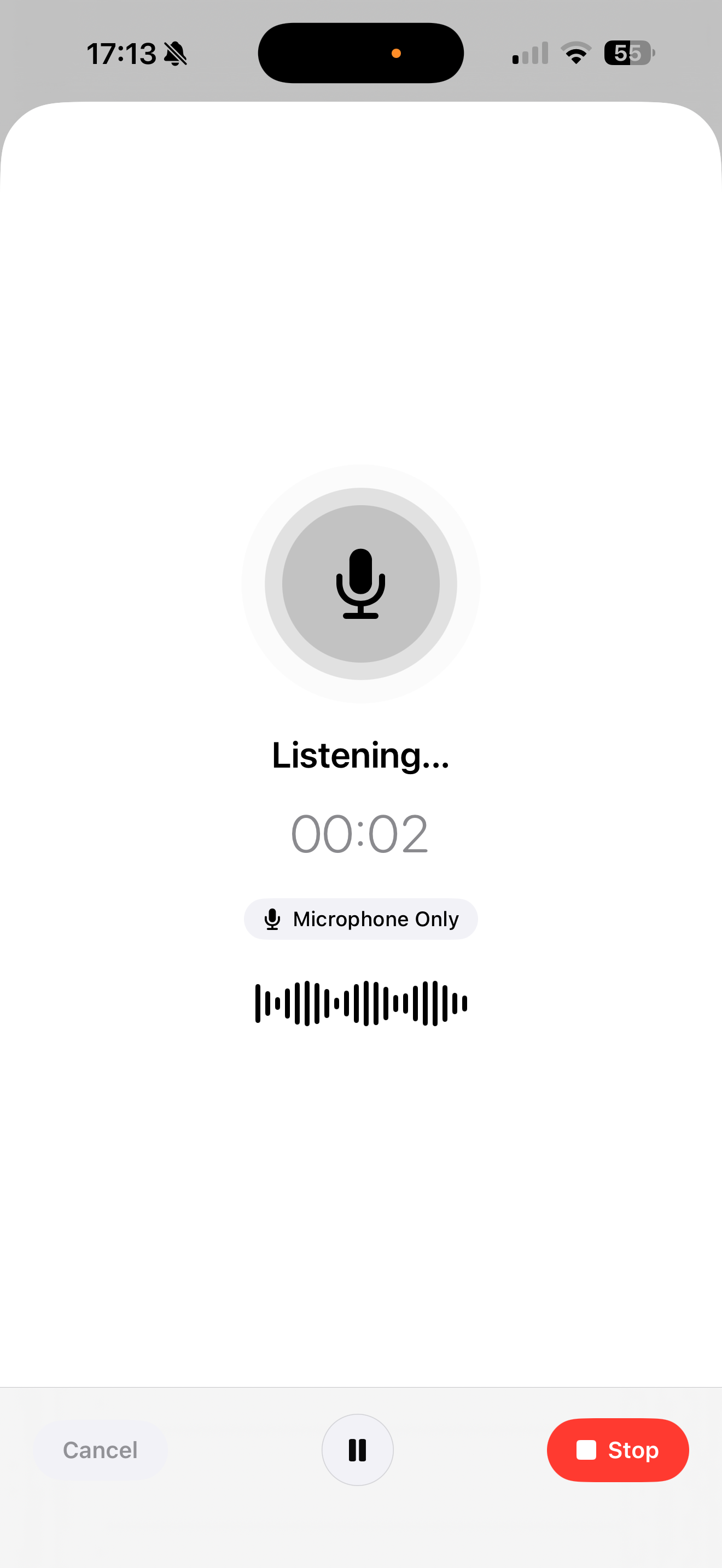
Watch words appear as you speak. Choose your on-device model — Apple Speech or Whisper (Tiny, Base, or Small) — for audio, video, and meetings, with no internet required.
Inscribe is a private AI workspace for your iPhone, iPad, and Mac. Transcribe meetings and lectures, chat with your PDFs and documents, ask your whole library anything, and run a private meeting assistant — all on-device. Nothing is ever uploaded.
Free to download · iPhone, iPad & Mac · No account, no cloud
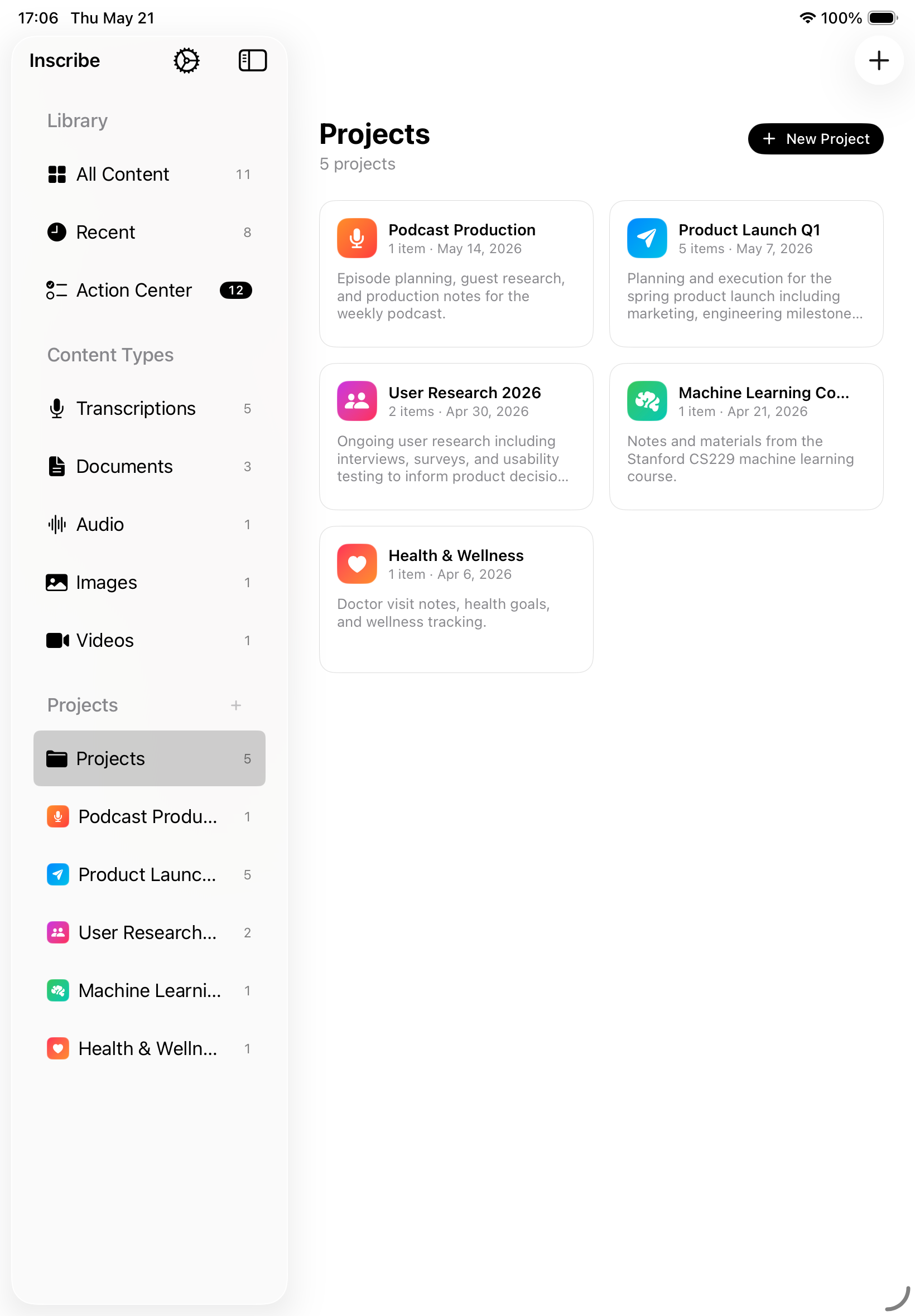
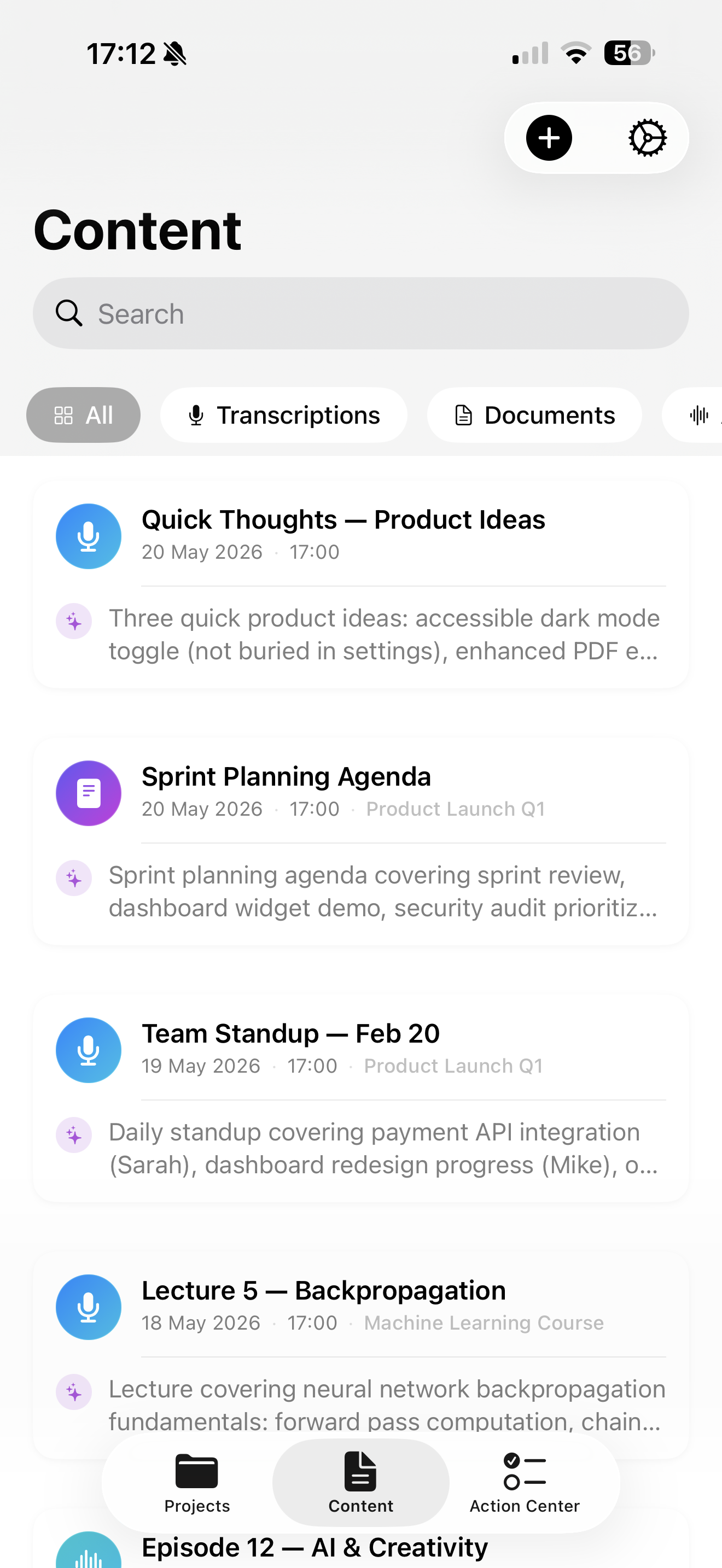
Transcribe, summarize, chat with your documents, and run a private meeting assistant — all on-device, all in one app, nothing uploaded.
Watch words appear as you speak. Choose your on-device model — Apple Speech or Whisper (Tiny, Base, or Small) — for audio, video, and meetings, with no internet required.
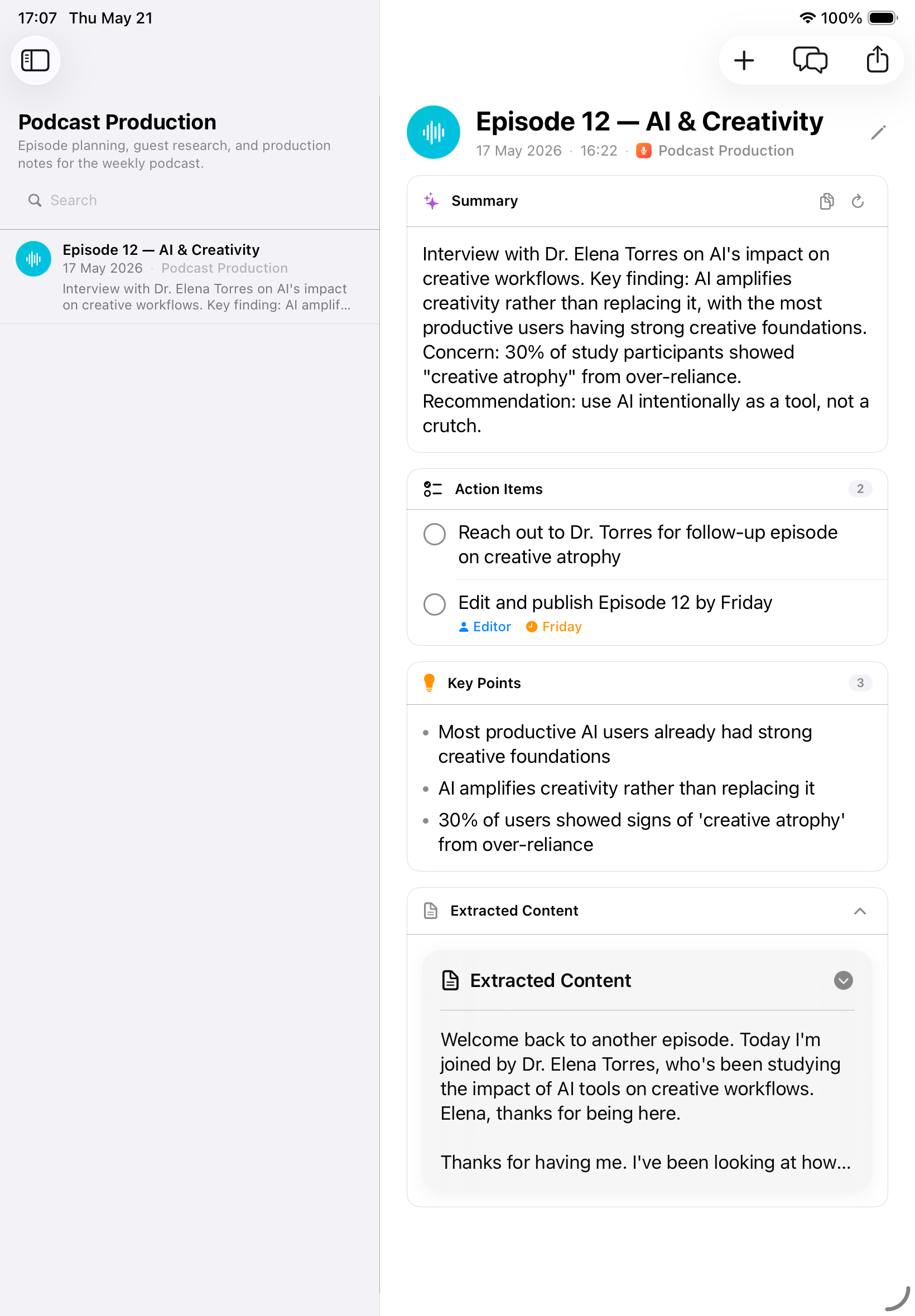
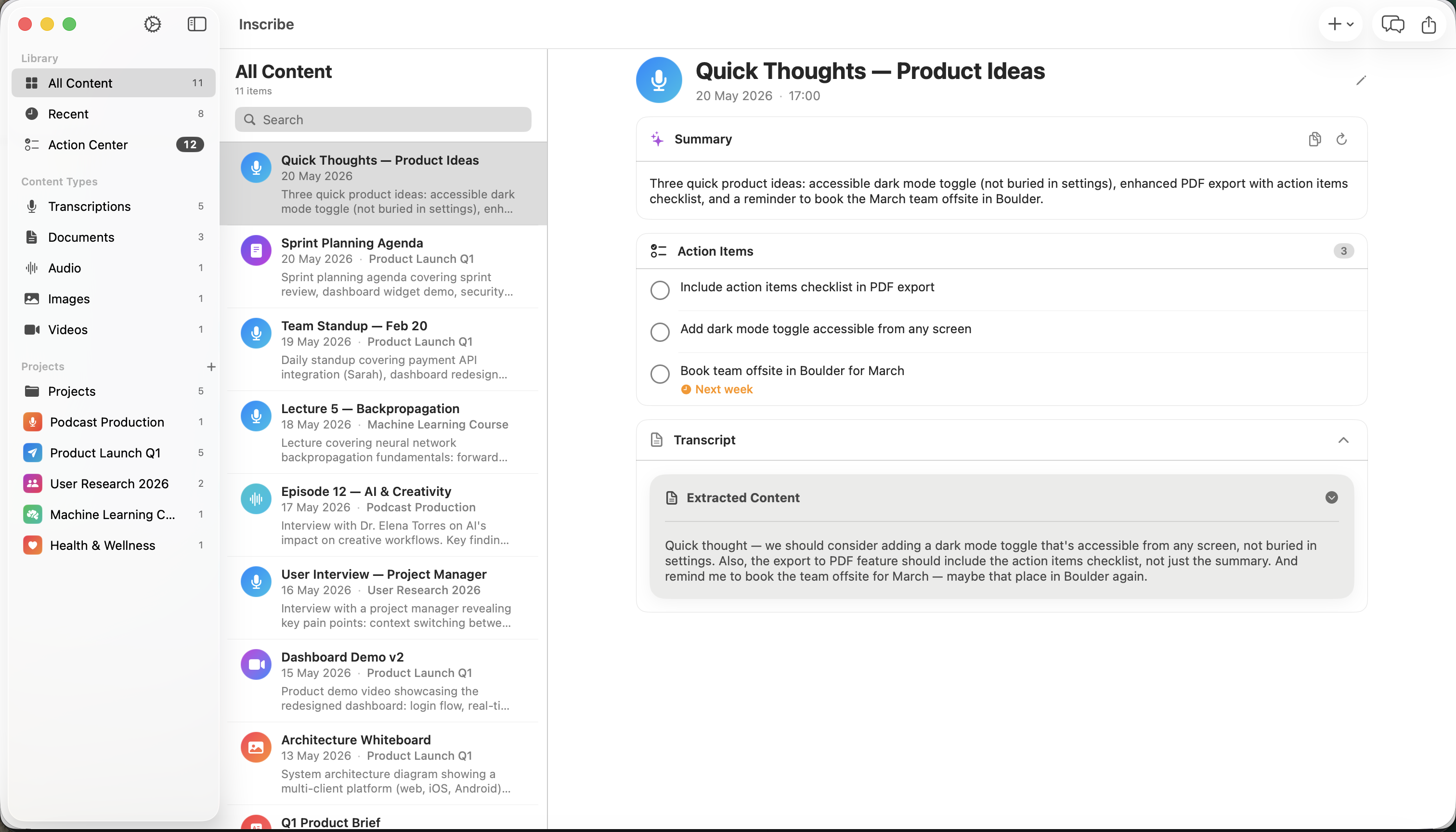
Every recording gets a clear summary, key points, and decisions — so you can skim a 60-minute meeting in seconds.
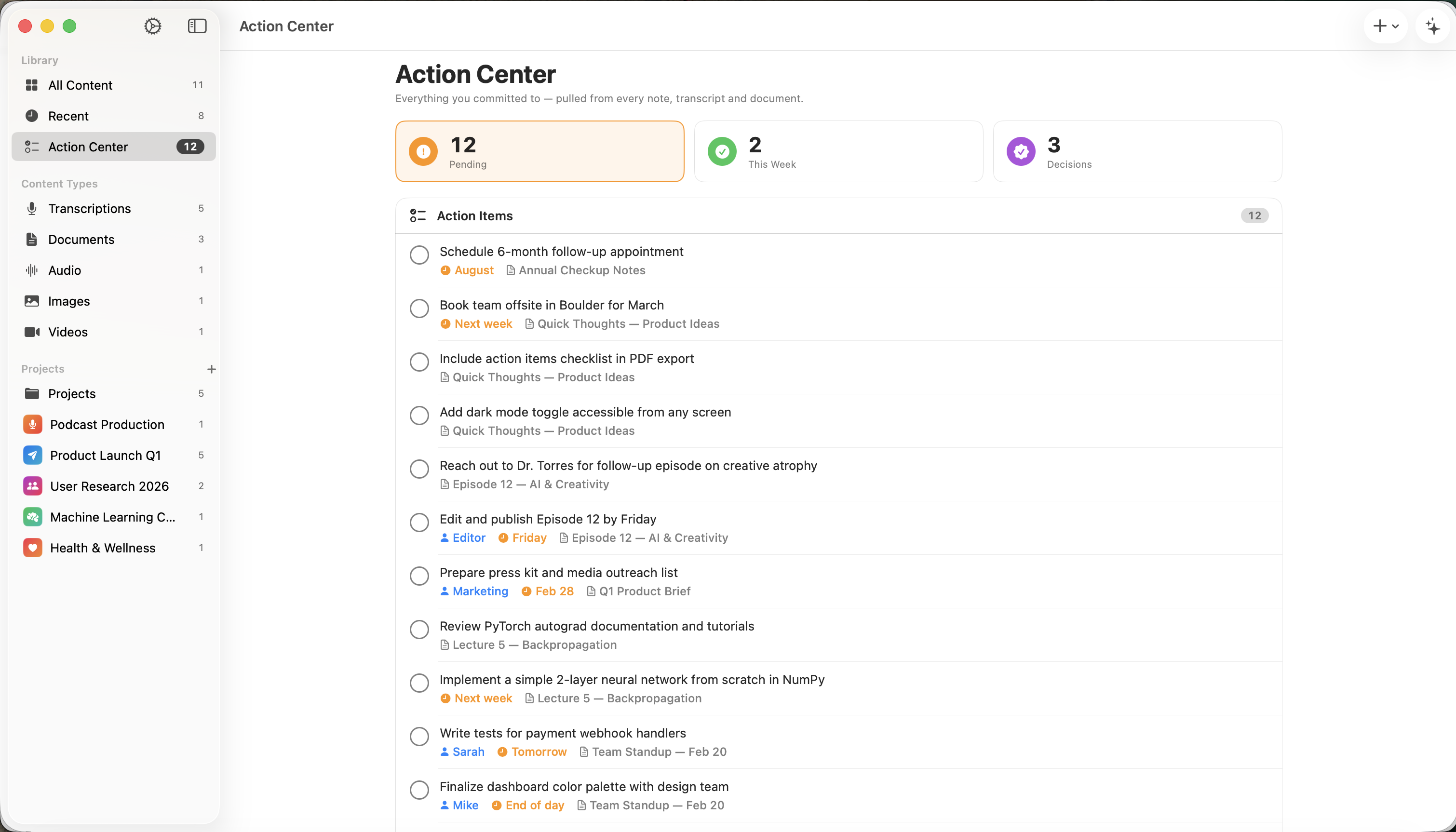
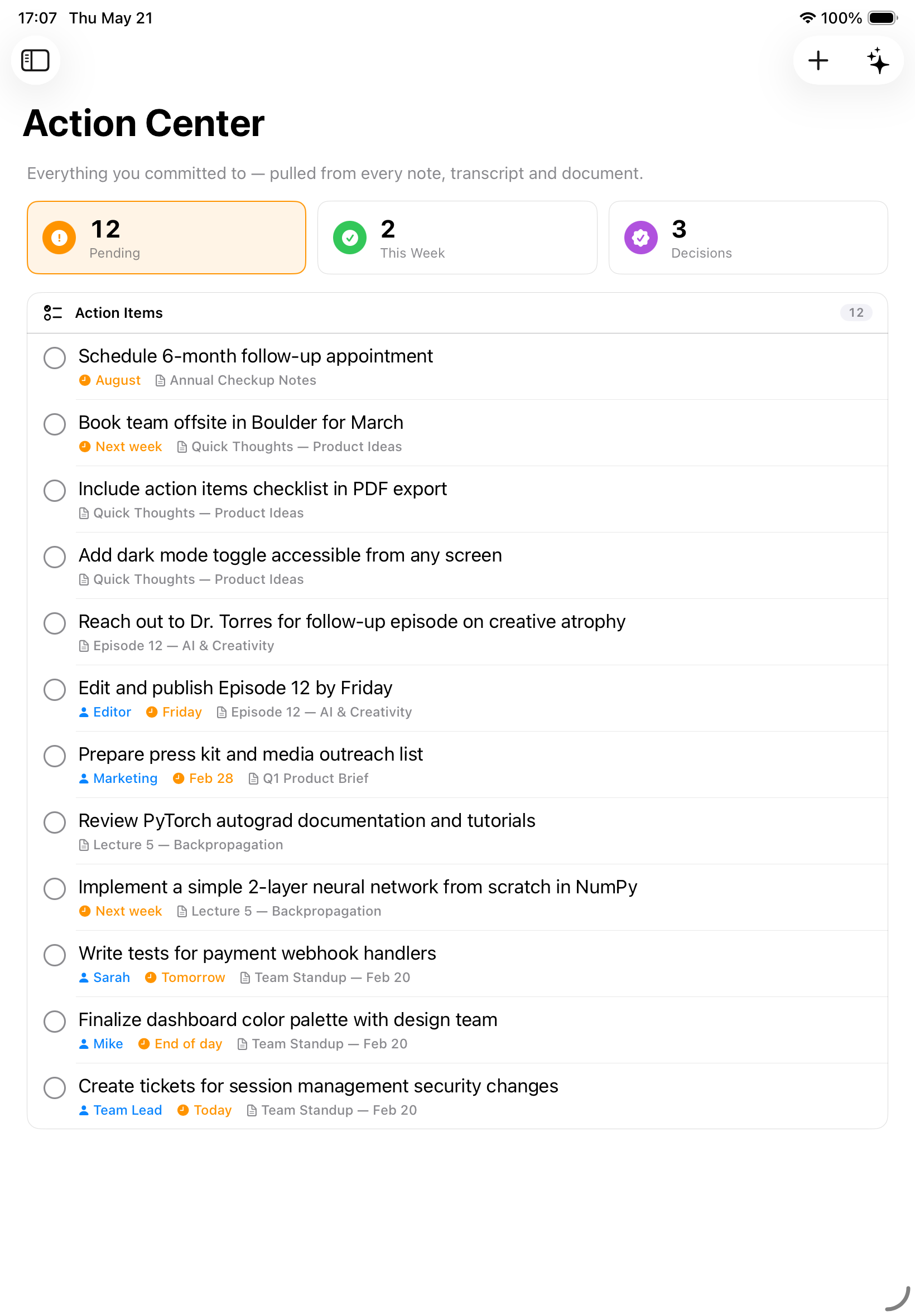
Every task, owner, and due date is pulled out of your notes automatically and gathered into one prioritized list.
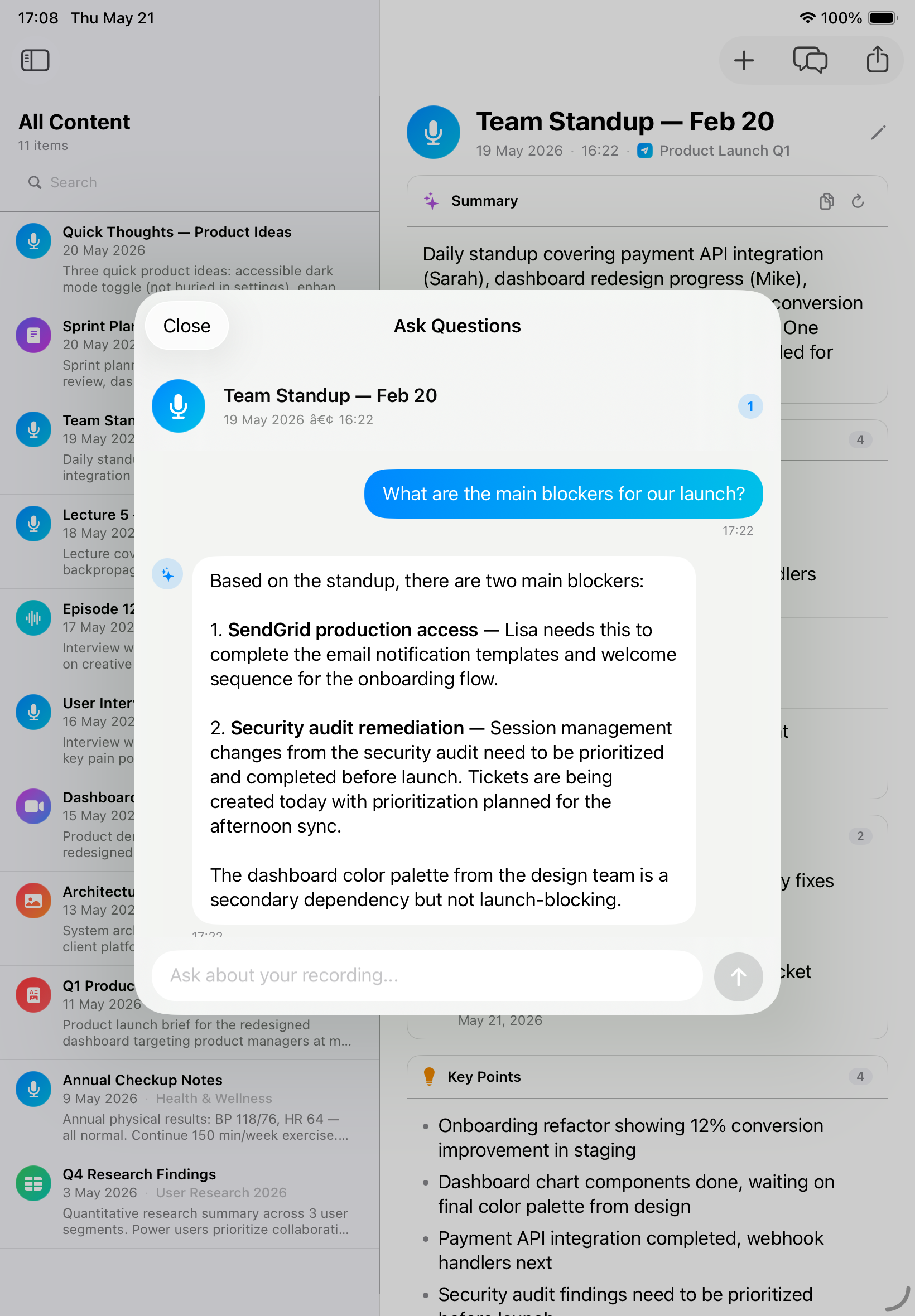
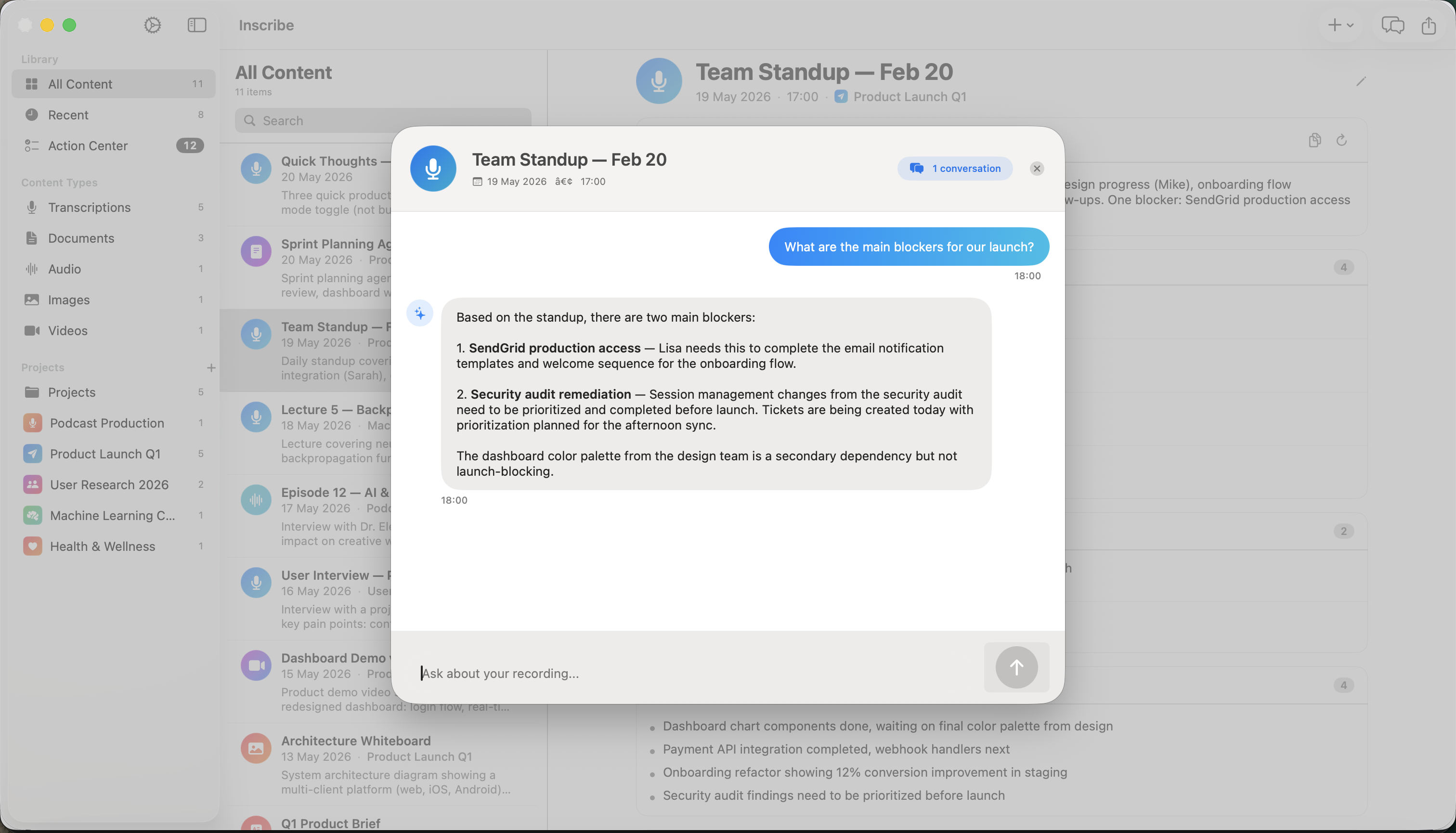
Chat across your whole library — notes, transcripts, PDFs, and images — in natural language. “What did the vendor agree to?” — answered, with citations, offline.
Import PDF, Word, Excel, PowerPoint, and images (with on-device OCR). Inscribe reads, summarizes, and answers questions about them — without uploading a thing.
No account, no ads, no cloud AI provider. Your recordings and documents are processed on your device and never uploaded.
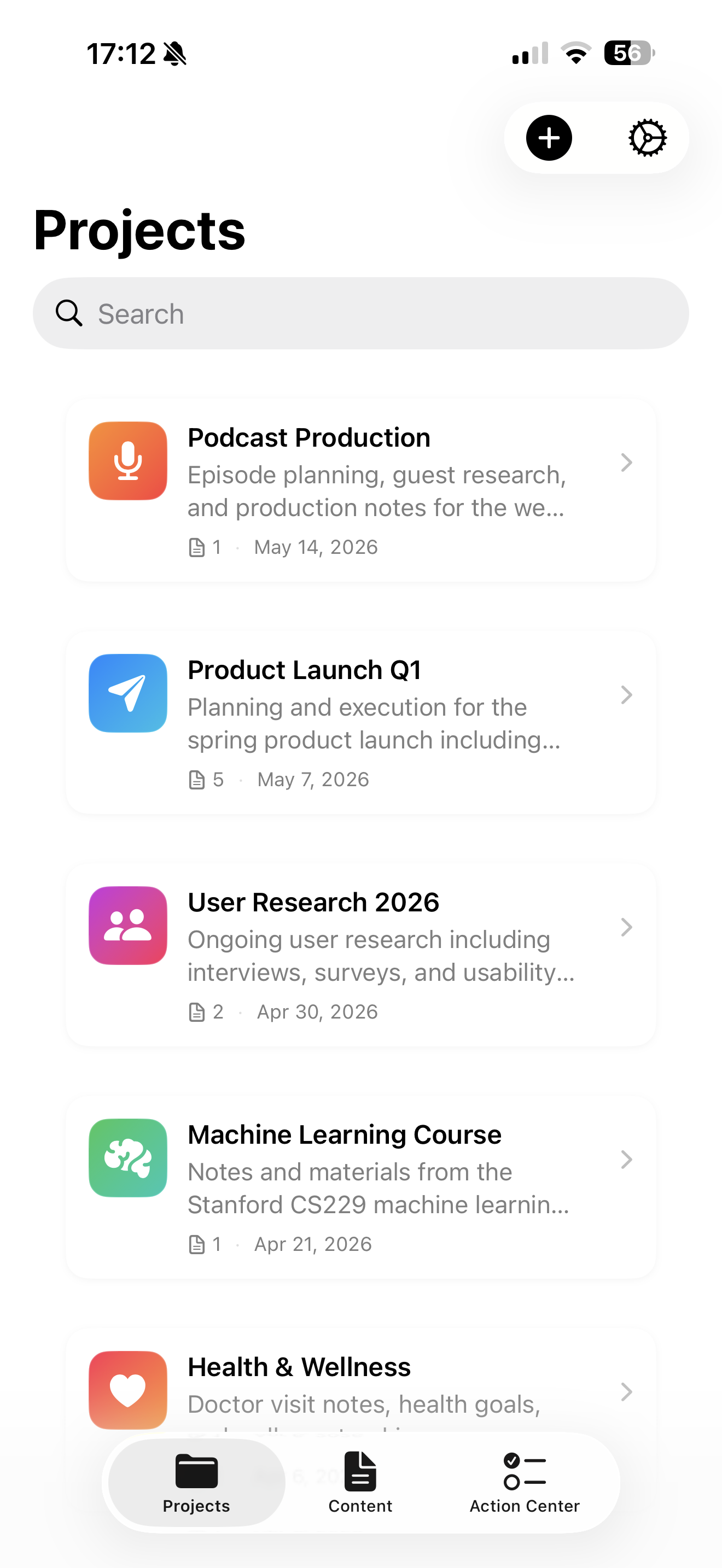
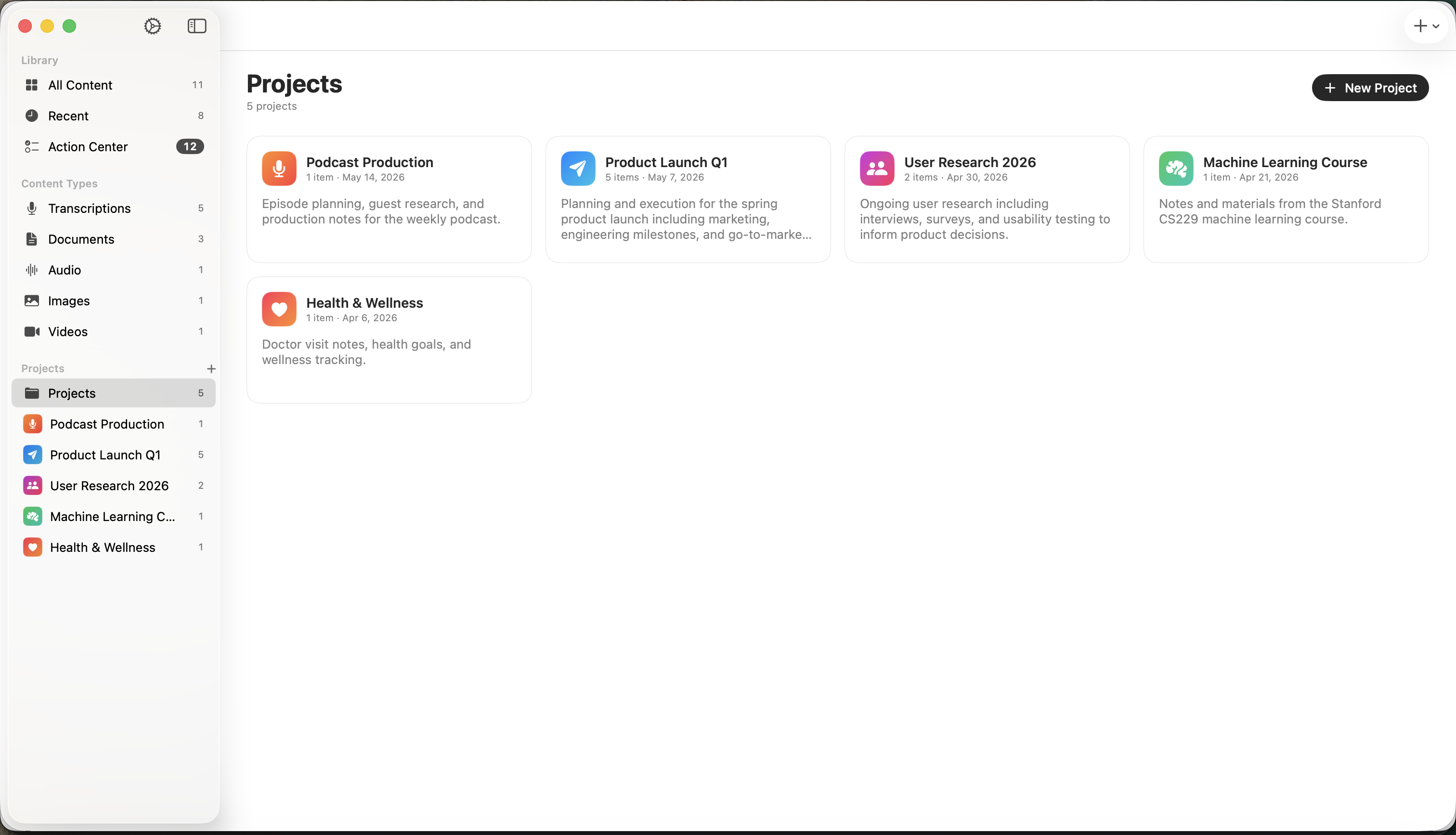
Group recordings, documents, action items, and decisions into projects. Open one and see the whole picture — not a folder of disconnected files.
Inscribe reads your transcripts and documents and surfaces every task, decision, and follow-up — with the person responsible and the due date — so nothing gets lost after the meeting ends.
Ask questions in plain language across everything you've captured — recordings, transcripts, PDFs, images, and projects at once. Find that one decision, the clause in a contract, or the number you forgot, with answers grounded in your own content.
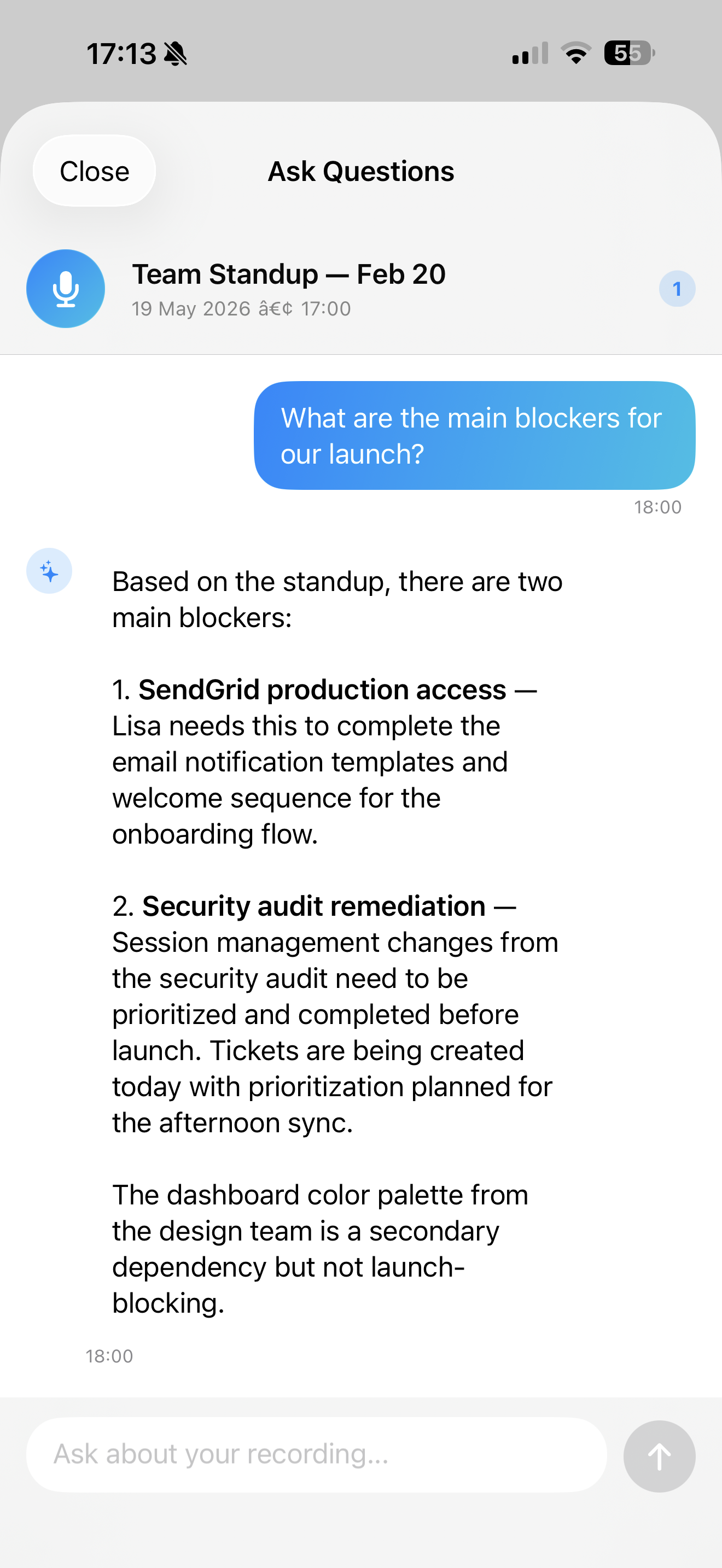
Link your calendar, hit record, and watch full-screen live captions during the call. Inscribe labels who said what on-device, flags you when your name is mentioned, then drafts the minutes and action items when you stop — all without sending a second of audio anywhere.
Inscribe runs transcription, summaries, document analysis, and Q&A locally with Apple Intelligence and on-device models. There's no cloud AI provider and no account — your recordings and files stay on your device.
Transcription, summaries, action items, and Q&A all run on your iPhone, iPad, or Mac — never on a server.
No ads and no selling your data. Your recordings, transcripts, and documents are never collected and never leave your device.
Start in seconds. No sign-up, no email, no subscription to remember to cancel.
One app, one design language, your library synced privately across every Apple device you own.
Privacy-first AI for students, professionals, and creators.
Record lectures, turn PDFs into study guides, and prep for exams — even in a lecture hall with no Wi-Fi.
Capture meeting notes, extract action items, and analyze reports while sensitive data stays on your device.
Transcribe sensitive interviews in the field and protect your sources — nothing is exposed to a cloud server.
See how on-device Inscribe stacks up against cloud transcription services.
| Feature |  Inscribe Inscribe |
Otter.ai | Fireflies | Rev |
|---|---|---|---|---|
| Works fully offline | ✓ | ✗ | ✗ | ✗ |
| 100% private — no cloud upload | ✓ | ✗ | ✗ | ✗ |
| Chat with your PDFs & documents | ✓ | ✗ | ✗ | ✗ |
| Ask across your whole library | ✓ | ✗ | ✗ | ✗ |
| Choose your on-device AI model | ✓ | ✗ | ✗ | ✗ |
| Automatic action items | ✓ | ✓ | ✓ | ✗ |
| Real-time transcription | ✓ | ✓ | ✓ | ✓ |
| No account needed | ✓ | ✗ | ✗ | ✗ |
| Starting price | Free | $16.99/mo | $10/mo | $0.02/min |
The same design language, tuned to each device.
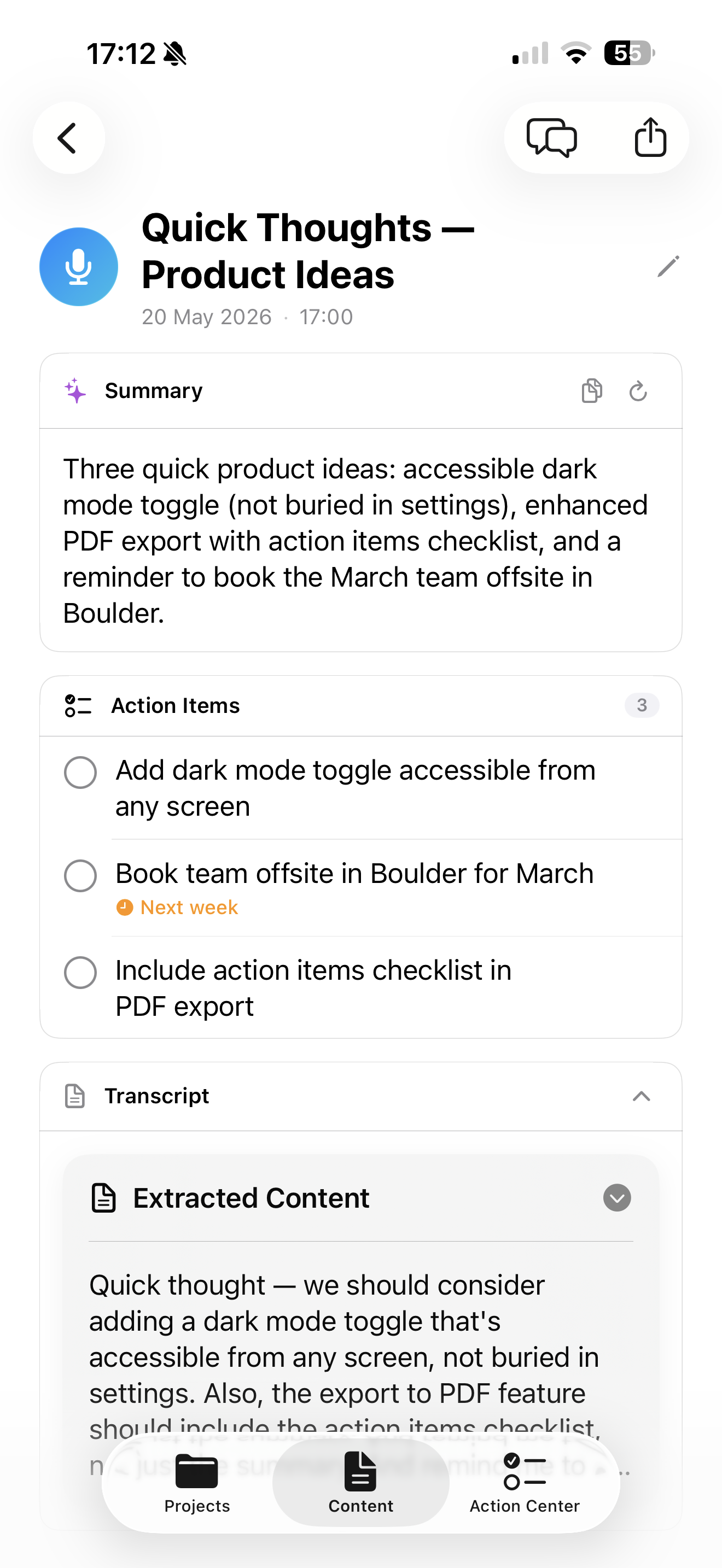
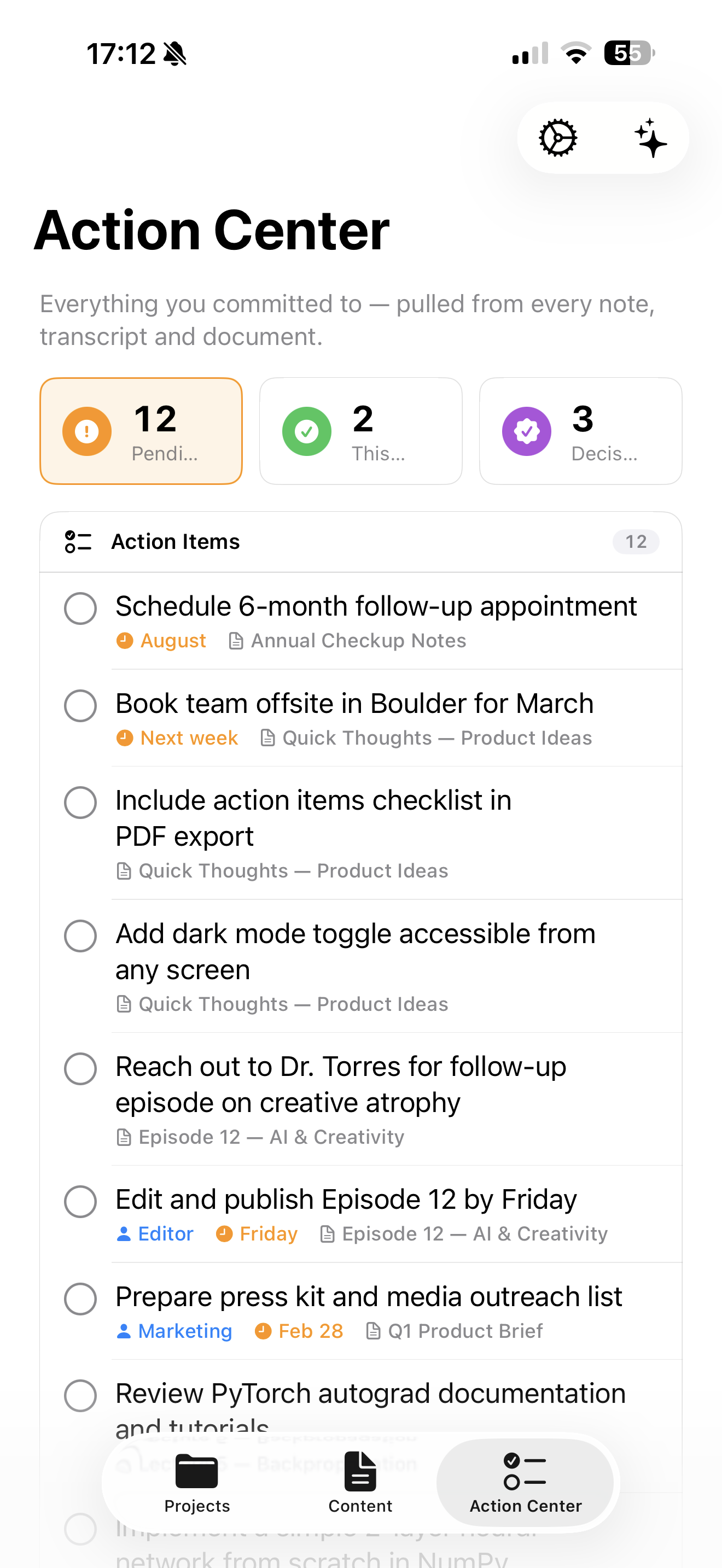
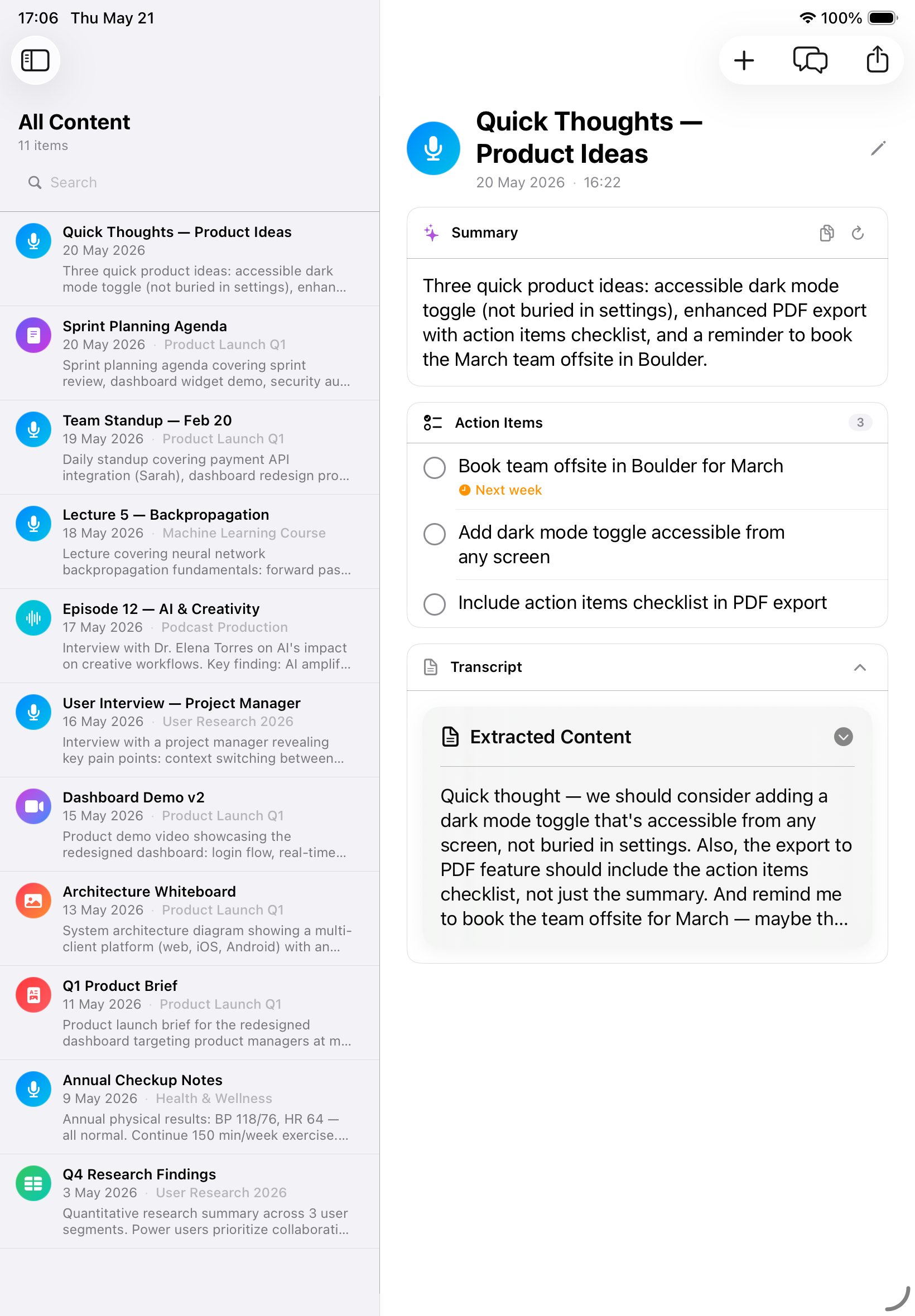
Tap record to capture a meeting, lecture, or idea — no internet required.
Inscribe transcribes on device and writes a summary with key points.
Review action items in the Action Center and ask your notes anything.
Inscribe processes everything on your device using Apple Intelligence and on-device Whisper. Your recordings, transcriptions, and documents never leave your iPhone, iPad, or Mac. There are no accounts and no cloud AI provider, and your recordings and documents are never uploaded.
Inscribe is a universal app for iPhone, iPad, and Mac. On-device AI features work best on Apple Intelligence-capable hardware: iPhone 15 Pro or later, iPad with an M-series chip, and Mac with Apple Silicon.
Yes. All transcription, summaries, action-item extraction, and Q&A happen on device without an internet connection, so Inscribe works in airplane mode, lecture halls, and anywhere without Wi-Fi.
The Action Center automatically pulls every task, decision, and follow-up out of your notes, transcripts, and documents into one prioritized list — with owners and due dates — so nothing slips through the cracks after a meeting.
Yes. Inscribe reads and answers questions about your PDFs, Word, Excel, PowerPoint files, and images entirely on-device — including scanned pages, with on-device OCR. Confidential documents never leave your iPhone, iPad, or Mac, it works in airplane mode, and there's no account to create.
Yes. Inscribe links to your calendar, shows live captions during the call, labels speakers on-device, alerts you when your name is mentioned, extracts action items and decisions, and can draft meeting minutes — all locally, with no meeting bot and no audio sent to the cloud.
Inscribe is free to download and use. For unlimited access, choose $7.99 per month, $29.99 per year, or $59.99 for unlimited lifetime access. There are no artificial recording or storage limits beyond your device.
Unlike Otter.ai, Fireflies, and other cloud services, Inscribe runs 100% offline with all processing on your device. That means complete privacy with no cloud upload, full functionality without internet, and transcription, document analysis, an Action Center, and Q&A combined in one app.
Need transcription that works in a lecture hall with no Wi-Fi? Inscribe transcribes lectures in real time using on-device AI — even in airplane mode. Record unlimited hours, turn course PDFs into AI study guides, and revise with document Q&A, all privately. See how to transcribe audio on iPhone or read the lecture-notes guide →
Teams handling confidential information need transcription that never leaves their devices. Inscribe processes all audio, documents, and AI analysis locally on your iPhone, iPad, or Mac — zero cloud upload. Ideal where client and patient confidentiality matters. See our guides to private transcription apps and HIPAA-friendly transcription →
Protect your sources with offline interview transcription. Record in the field without cell service, transcribe on the spot, and analyze interviews with AI — all while keeping sources confidential. Read how to transcribe an interview or run Whisper on-device →
Need to ask questions about a contract, report, or medical record without uploading it? Inscribe reads PDFs, Word, Excel, PowerPoint, and images on-device — even scanned pages, via OCR — and answers in plain language. Learn how to chat with a PDF offline or read about HIPAA-friendly, on-device AI →
Get a meeting assistant that works offline and keeps every call on your device: calendar linking, live captions, on-device speaker labels, action items, and AI-drafted minutes — no bot in the call, no cloud upload. See AI meeting notes that work offline or whether Fireflies works offline →
Transcribe, summarize, and chat with your documents — free to download, nothing uploaded, fully offline on iPhone, iPad, and Mac.
Free download · Optional: $7.99/month, $29.99/year, or $59.99 lifetime